Product Details Page
Ingram Micro optimizes product information with a product overview, specifications, vendors, and product flags that highlight additional information.
These topics describe product information features on the Ingram Micro website:
Also refer to Favourite Products to mark products as favourites and compare products.
Product Details
Refer to Search & Browse Products for information about how to find products.
The following example illustrates basic product information on the search results page:
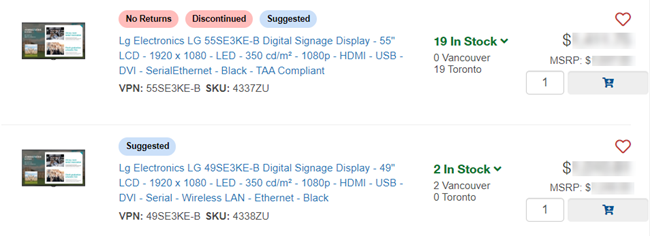
Click the product description to go to the Product Details Page and view complete product details.
The following example illustrates detailed product information and multiple features:
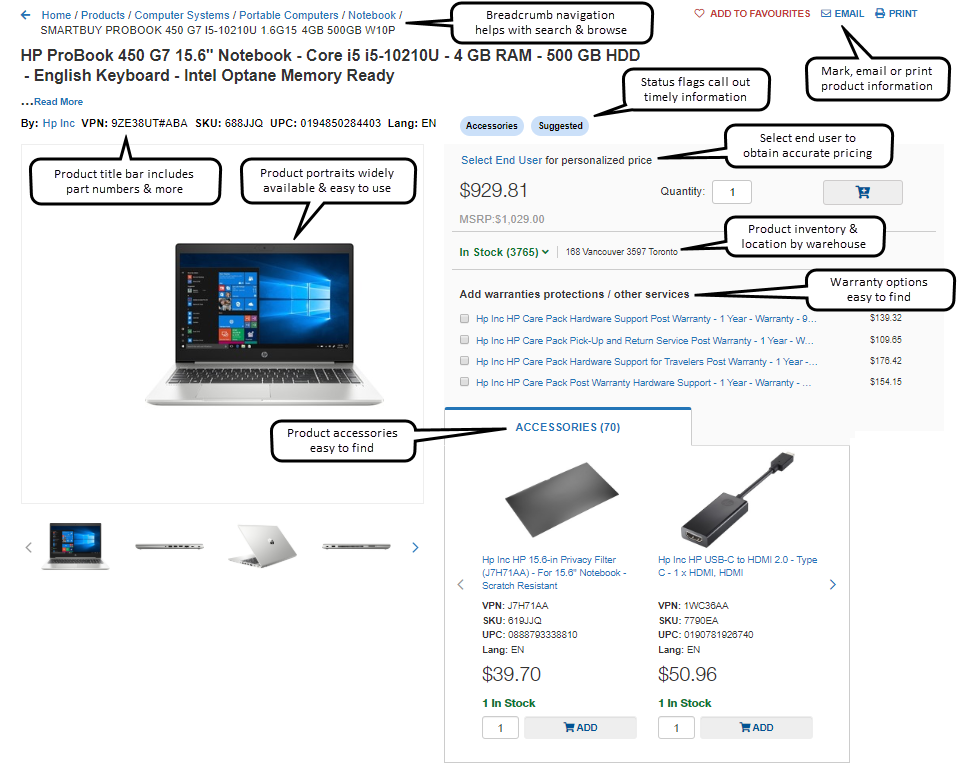
Note: Many pricing and availability features are also available on Cart and Checkout screens.
 Return to Top
Product Flags
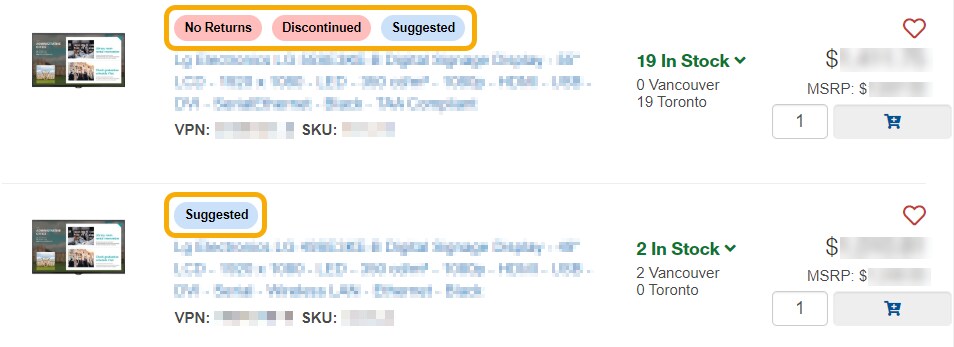
Product flags are colorful markers that indicate product status information, such as:
- special promotions or volume pricing
- product availability
- special shipping requirements
- restrictions on returns (if applicable)
- accessories
- suggested products
- more
Click the product flag for more information. The following example illustrates product flags in search results:
Return to Top
Frequently Asked Questions
Why can’t I see any product pricing?
-
First, make sure that you are logged in. If you aren’t logged in, you might only see retail pricing or no pricing of any kind.
-
Once you log in, the pricing you are approved to see should appear.
Return to Top